Read your unread.
I had 50 Telegram channels I'd never read. Now I read one Markdown summary a week — every claim links back to the message, paragraph, or timestamp it came from. Same thing works on YouTube videos, web pages, voice messages, recorded meetings, PDFs, and forwarded files. Or run it as a Telegram bot and forward anything weird at it.
Open source (Apache 2.0). Runs on macOS, Linux, Windows. Your data stays on your disk.
$ unread @thehackernews --last-days 14
→ Resolved The Hacker News (channel)
→ Fetched 99 new messages from Telegram
→ Running analysis... 4 chunks (gpt-5.6-luna)
→ Wrote ~/.unread/reports/the-hacker-news/analyze/summary-2026-05-23_091204.md
   $0.016 · 18s

## TL;DR
Active exploitation and supply-chain compromise dominated
the period: KEV-listed flaws, repeated abuse of npm/PyPI/
GitHub workflows, attacker speed outpacing patching.

## Worth checking
- [#8980] Mini Shai-Hulud worm — GitHub OIDC + cache poisoning
- [#9008] Cisco SD-WAN CVE-2026-20182 — active exploit, CISA KEV
- [#9063] Megalodon — 5,561 repos compromised in 6 hours
Why this exists
I have ~50 Telegram groups I genuinely want to follow and not enough hours to read them. The same is true for the videos I bookmark and the articles I save to "read later." Most days, my unread count just keeps climbing.
LLMs are now cheap enough that analyzing a week of group chat costs less than a coffee. My time is not. So I built the CLI I wanted to use — local-first, citation-backed, provider-agnostic — and now I open Telegram a lot less.
It's not a service. There's no signup, no telemetry, no cloud. It runs on your laptop or a VM, your data stays on your disk, and you pay your LLM provider directly for the tokens you use. A week of group chat is usually pennies.
One <ref>, three verbs.
I wanted the same command to work whether I point it at a Telegram channel,
a YouTube link, or a PDF on disk. So <ref> means any of those,
and the same three verbs (analyze, ask, dump)
run on each.
unread <ref> analyze — Map-reduce the source into a Markdown report. Every claim links back to its message, paragraph, or timestamp.
unread ask <ref> "Q" ask — One-shot Q&A over the same source, with citations. Multi-turn follow-ups stay in the same session.
unread dump <ref> dump — Save the verbatim original — chat history, transcript, article. No LLM call, no cost.
A <ref> can be
unread @ru_dev_news --last-days 7 Chats, channels, topic-threaded forums, channel comments. Voice notes are transcribed. Photos are described. Forwards are deduped — Whisper runs once across N chats. Citations are clickable t.me links.
unread https://youtu.be/dQw4w9WgXcQ Captions if the video has them, Whisper if it doesn't. Every citation becomes a t=SECONDS deep link that jumps to the moment.
unread "https://paulgraham.com/greatwork.html" trafilatura extracts the main content; your LLM does the rest. Paragraph-level citations. Cached locally so follow-up asks are free.
unread ./voice-message.ogg | cat notes.txt | unread Audio (mp3 / m4a / ogg / opus) and video (mp4 / mov) go through Whisper — drop in a 10-minute voice or a 45-minute meeting recording, get a summary. Also PDF, DOCX, images (vision), source code, and Markdown. Pipe stdin in too.
Six things that matter on day 30 (not day 1).
The features that decide whether you still use this in a month.
- Local-first. SQLite under
~/.unread/. Messages, embeddings, analyses, secrets — all on your disk. The only network calls are to Telegram, your AI provider, and any URLs you point at. - Citations on every claim. Each bullet links back to a message, paragraph, or YouTube timestamp. Verify without re-opening the source.
--cite-contextexpands the link into a<details>block with surrounding text. - Bring your own model. OpenAI, Anthropic, Gemini, OpenRouter, or local Ollama / LM Studio / vLLM. Switch with one command — caches and reports persist across switches.
- Cost guardrails.
--max-costaborts before overspend.--dry-runestimates without calling.unread statsshows lifetime spend by chat, preset, and day. - PII redaction.
--redactscrubs phones, emails, IBANs, and Luhn-valid card numbers from the API payload. Originals stay in your local DB and saved reports. - Source and report languages are independent. Russian chat → English digest. English file → Spanish summary. Hand-tuned preset structures ship for
enandru; other report languages still produce coherent reports.
Install in three steps.
The installer puts unread in its own isolated environment with uv. No virtualenv
to activate, no pip conflicts, no global Python pollution. Update later with
unread update.
- 1. Install macOS / Linux; sets up uv for you. Windows: uv tool install unread
curl -fsSL https://raw.githubusercontent.com/maxbolgarin/unread/main/scripts/install.sh | bash - 2. Set up pick your AI provider, paste your key, optionally connect Telegram
unread init - 3. Run something any URL, file path, or Telegram ref
unread "https://paulgraham.com/greatwork.html"
Need more detail? See the full install guide. Want the Telegram bot on a server instead? It has its own one-liner.
There's a bot, too.
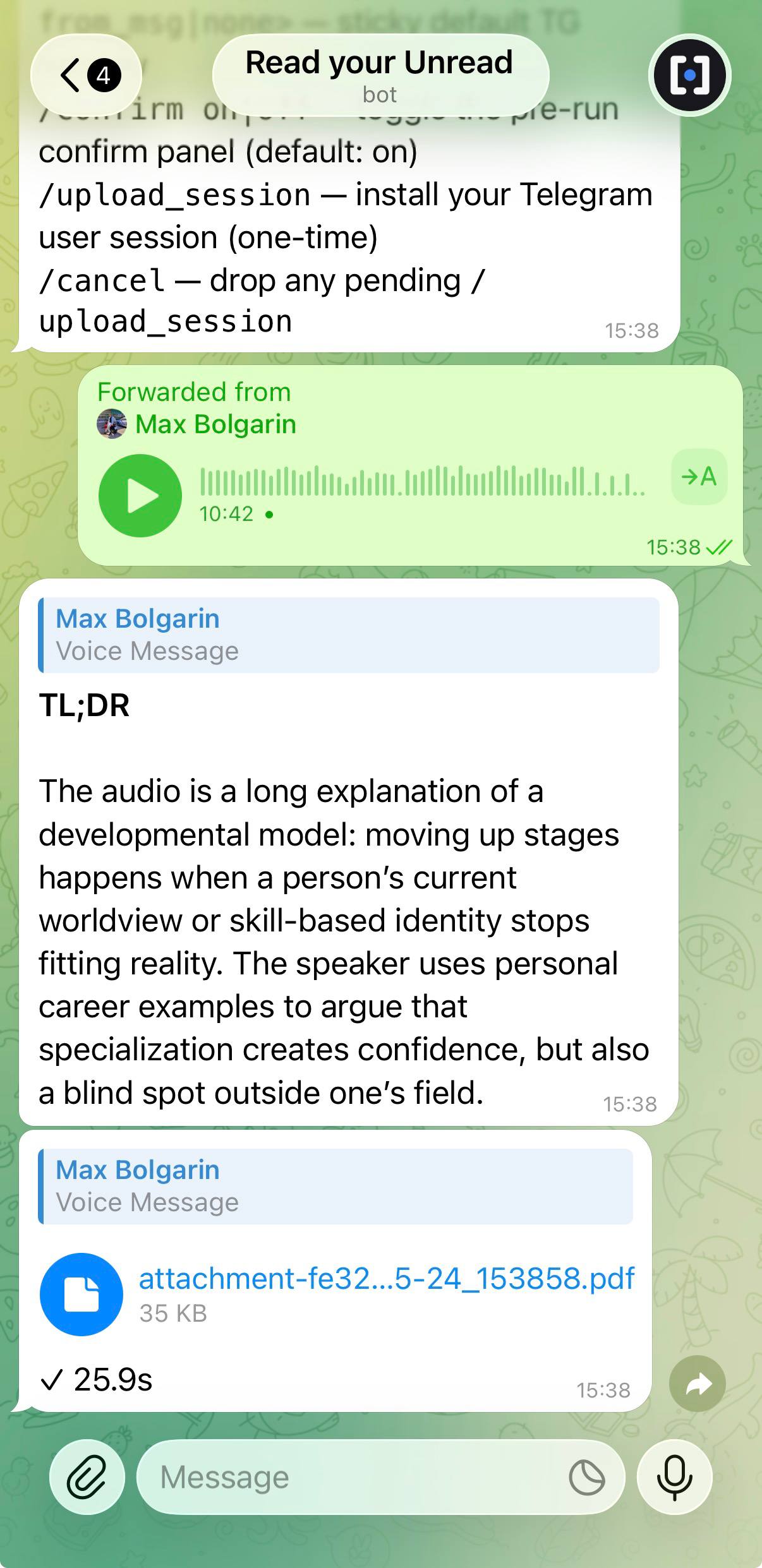
Run the same pipeline as your own Telegram bot. Forward it a voice message, a PDF, a YouTube link, a channel post, or that link a stranger just sent you — it replies with the gist and a full report as a PDF, with time and cost in the caption.
- Voice & video. A TL;DR of that 12-minute voice message, or tap As text to read it instead of listening.
- YouTube, four ways. Summary, analysis of the argument, the transcript, or a fact-check against the web.
- Settings in the chat.
/settingschanges the language, the report format (PDF, Markdown, or right in the chat) and the AI provider and model. - Yours only. It answers just the Telegram accounts you allow and runs on your own server — a $5 VM is plenty.
One command on a fresh Linux server installs Docker if needed, asks for a bot token, an AI key and a Telegram API id, and starts the bot:
curl -fsSL https://raw.githubusercontent.com/maxbolgarin/unread/main/scripts/install-bot-docker.sh | bash
Already use the CLI? Skip Docker: unread bot setup && unread bot start
runs it in the background, as a systemd service where the machine has one.
Use whichever key you already have.
Switch any time with unread settings, or /settings in the bot. Caches and reports persist across switches.
| Provider | Models | Extras |
|---|---|---|
| OpenAI | GPT-6, GPT-5.x | Voice & video transcription, images, semantic search |
| Anthropic | Claude 5.x, 4.x | Long context, images |
Gemini 3.x, 2.5 | Long context, images, cheap | |
| OpenRouter | Anything | One key, many models |
| Local | Ollama, LM Studio, vLLM | Offline |
Voice and video transcription and semantic search run on OpenAI. With another provider, add an OpenAI key alongside for those — unread init and the bot installer both offer it.
Want a hosted version — no install, no API keys?
unread is open source and local-first. If you'd rather have a
managed version with the same pipeline — without installing anything,
wiring up Telegram, or bringing your own LLM key — leave your email.
We'll write only when it's ready, and only once.
- No spam, no marketing list — one email, when there's something to announce.
- If you'd rather just stay local, install the CLI — it's free and offline-friendly.
Things people ask first.
Does this ship my Telegram history to OpenAI?
SQLite under ~/.unread/. You can also enable --redact to scrub PII (phones, emails, IBANs, Luhn-valid card numbers) from the API payload while keeping the originals on your disk.What if I don't use Telegram?
unread init. The same <ref> syntax works for YouTube videos, web pages, and local files (PDF, DOCX, audio, video, images, stdin).What languages does it actually support?
--report-language es turns Russian chats into Spanish digests.Will it cost me money?
unread keeps it small: --max-cost aborts before overspend, --dry-run estimates without calling, and unread stats shows lifetime spend by chat, preset, and day. A week of group chat is typically pennies on gpt-5.6-luna.Is it actually fast?
unread cache stats to see hit rate.Can I run it on a server or in cron?
unread watch --interval 1h loops in foreground. API keys can come from environment variables or ~/.unread/.env.Is it really free and open source?
unread is Apache 2.0 licensed and developed in the open on GitHub. You only pay your LLM provider for the tokens you use. No service, no telemetry, no account.Can I run this as a Telegram bot?
Does the bot need my Telegram account?
@BotFather, an AI key, and a Telegram API id and hash (free at my.telegram.org — the bot connects the way the Telegram apps do, which lets it download files over the 20 MB limit of the plain Bot API; that connection needs an app id and hash, not your account). Files, voice and video, web links and YouTube all work without your account. Only reading t.me/ chat links and channels needs your Telegram session, which you can hand to the bot later with /upload_session.Can it transcribe voice messages and videos?
unread ./voice.ogg, unread ./meeting.mp4) and voice notes / video circles inside Telegram chats. Speech-to-text runs through OpenAI (gpt-4o-mini-transcribe by default) at roughly $0.003 per minute. Video files have their audio track extracted by ffmpeg first. Forwarded voice messages dedupe across chats — each is transcribed once and cached by Telegram document_id.